Veeam V13 for Windows: What Actually Matters
Here's a simplified version for your Veeam community post:
Veeam V13 for Windows: Why Your Next Move Should Be This Upgrade
The Veeam Software Appliance grabbed headlines with V13, but the Windows version received substantial upgrades that deserve your attention. If you're running Veeam on Windows, here's why V13 matters now.
The Bridge to VSA
V13 Windows is explicitly designed as the on-ramp to the Veeam Software Appliance. You're already running gRPC, the same protocol VSA uses. Linux support for mount servers, gateways, and proxies lets you shift incrementally. When VSA makes sense for you—whether for DISA STIG compliance or reduced overhead—the conversion path is documented and supported.
Security Debt Reduction
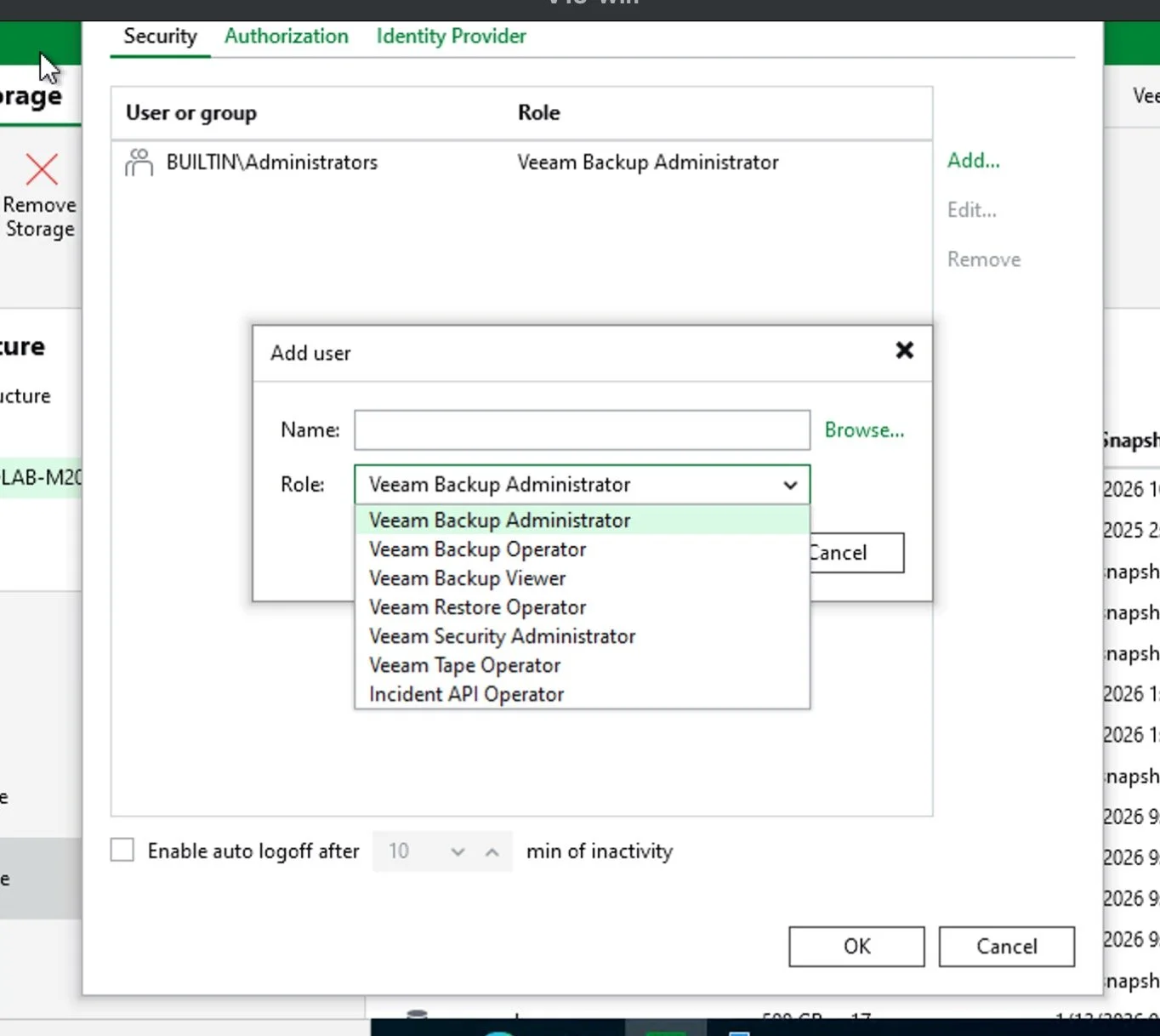
V13 eliminates Microsoft RPC, WMI, and NTLM—known attack vectors replaced with cross-platform gRPC and Kerberos authentication. Every day on older protocols accumulates risk. V13 closes that gap.
Performance Without New Hardware
2x backup throughput for Veeam Agents
Up to 30% CPU reduction from BLAKE3 hashing
50% better instant recovery I/O performance
You're unlocking capacity you already own
Operational Improvements
Enhanced RBAC with custom roles covering 90% of workloads
Expanded malware detection now covering Linux backups
Centralized SQL Server plug-in management
SSO across all editions (not just Premium)
Simplified firewall rules with reduced port requirements
The Strategic Play
V13 Windows positions you for future flexibility without forcing a decision today. Run it as long as it serves you. When new storage integrations arrive (Pure Storage customers: watch the Fusion plug-in roadmap), you're already on compatible code. When VSA makes sense, you're ready.
The protocol modernization alone justifies the upgrade from a security perspective. The performance gains justify it from efficiency. The bridge to VSA justifies it strategically.
Full analysis and technical details: [link to wcithipster.com blog post]
What's your V13 upgrade timeline? Let me know in the comments.
—Zane
This condensed version hits the key points while driving readers to your full blog post for the deeper dive.

Future of Monitoring with Veeam One V13: First Look
Today, I’m beyond excited to share an early look at Veeam Backup & Replication v13. This release introduces two major enhancements: a fully Linux-based backup server and an HTTPS-based web console. These updates are not just features; they’re milestones that reflect years of community feedback.
This sneak peek is based on alpha code, so things may change before the final release. That said, there’s plenty here to get excited about. Let’s get into it.

A First Look at Veeam Backup & Replication v13: Linux-Based and Web Console Awesomeness
A Veeam vanguard’s look at the Tech Preview of Veeam Backup and Replication v13 all Linux based server
Today, I’m beyond excited to share an early look at Veeam Backup & Replication v13. This release introduces two major enhancements: a fully Linux-based backup server and an HTTPS-based web console. These updates are not just features; they’re milestones that reflect years of community feedback.
This sneak peek is based on alpha code, so things may change before the final release. That said, there’s plenty here to get excited about. Let’s get into it.

Unlocking the Power of Azure Sentinel for Veeam Syslog Analysis
Using Sentinel to make sense of Veeam Syslog.

NFS Veeam Repository Hosted on Pure FlashArray File
Veeam NFS Repository with Pure Storage FLashArrayNFS File

vSphere Tags & the Veeam Recovery Orchestrator
vSphere tags are essential to Veeam's Recovery Orchestrator. In this quick read I outline how to plan and use tags to properly setup a Veeam Disaster Recovery Plan. And provide verified disaster recovery from outage and ransomware attack, for your organization
vSphere Tags & Veeam Backup
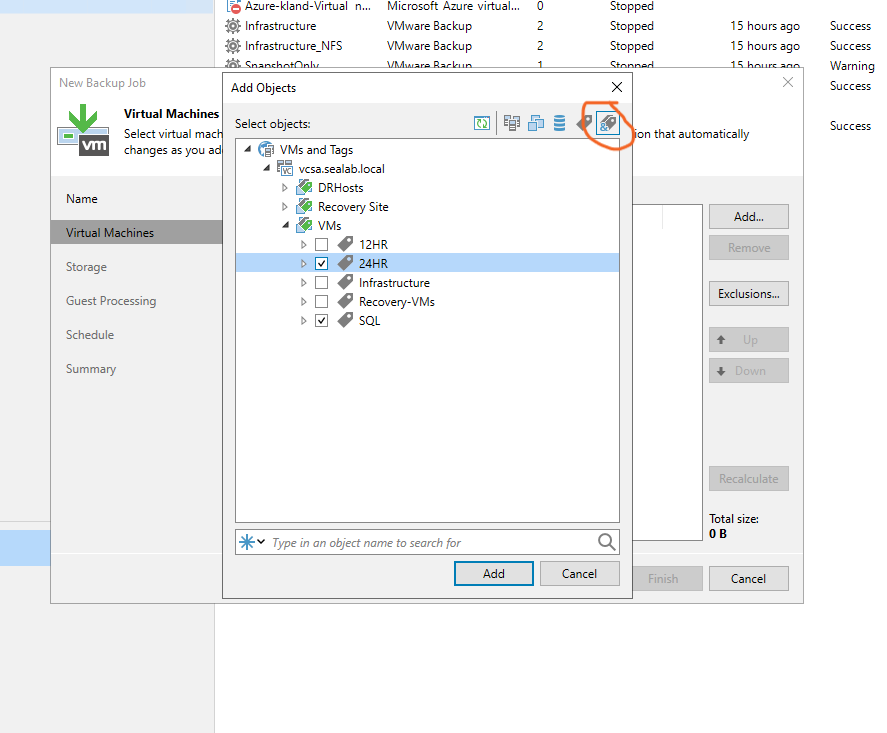
I have spent many of my years as an IT profession thinking about and designing data protection solutions. Both for organizations I worked in and for other organizations I consulted with. And it has been my opinion for much of this time that the number one enemy of well designed system is complexity. Anywhere manual process is required to maintain a data protection system is a place where failure will result. I start with this every time.
That is why I have been a longtime proponent of utilizing metadata or 'Tags' in all backup jobs I create. So let's get into how this works with a VMware backup job though Veeam v12

DR with Veeam Orchestrator and Pure Storage
Disaster recovery is a critical aspect of any organization's operations, as it ensures that the organization is able to continue its operations even in the event of a disaster. However, many organizations fail to invest in disaster recovery, often due to a lack of understanding of its importance or the costs associated with implementing such a strategy. In this blog post, we will explore the importance of disaster recovery and why organizations should consider investing in it. We will also discuss some common reasons why organizations may not invest in disaster recovery and how to overcome these obstacles.


